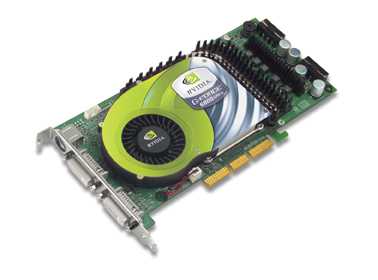
HOWTO:Nvidia AGP FastWrites and Side Band Addressing
Introduction
This guide is largely inspired to a wonderful guide of the Gentoo Forums (and wiki) ( and I would really thank the user elboricua who wrote the original guide. Unfortunately Gentoo and Ubuntu do not share the same configuration files therefore I couldn't port the entire guide to Ubuntu.
You can find the original guide for Gentoo here:
Nvidia Driver AGP FastWrites and Side Band Addressing
The purpose of this guide is to give you a performance boost which could help you in 3d applications such as videogames.
Requirements
By default the nvidia drivers do not enable AGP FastWrites or Side Band Addressing. This tip is a quick and easy way to turn it on. To enable fastwrite you must have a motherboard that supports it, and have it turned on in the BIOS. Most AMD boards have fastwrite capability. I am not sure about Pentium based boards.
You need a kernel compiled with support for agpgart (you can find it under the section Character Devices). The kernels that come with Ubuntu by default support agpgart.
You need to have the Nvidia Drivers enabled and working. If you haven't installed the driver yet you can follow my guide on:
HOWTO: Latest NVIDIA drivers
NOTE: This tip requires a reboot.
NOTE: Fast Writes and SBA might make your computer freeze if they are not supported therefore you should use them at your own risk.
Check to see if the FastWrites and SBA is enabled or disabled
Code:
cat /proc/driver/nvidia/agp/status
Code:
Status:          Enabled
Driver:          AGPGART
AGP Rate:        4x
Fast Writes:     Disabled
SBA:             Disabled
Open Terminal or Konsole and type:
Code:
glxgears -printfps
Code:
~$ glxgears -printfps
6073 frames in 5.0 seconds = 1214.530 FPS
6723 frames in 5.0 seconds = 1344.542 FPS
6724 frames in 5.0 seconds = 1344.704 FPS
6725 frames in 5.0 seconds = 1344.805 FPS
6724 frames in 5.0 seconds = 1344.699 FPS
6724 frames in 5.0 seconds = 1344.657 FPS
6727 frames in 5.0 seconds = 1345.201 FPS
6724 frames in 5.0 seconds = 1344.708 FPS
6724 frames in 5.0 seconds = 1344.774 FPS
6719 frames in 5.0 seconds = 1343.688 FPS
6627 frames in 5.0 seconds = 1317.529 FPS
Save the output somewhere so that you can see if you get an fps boost after enabling Fast Writes and SBA.
Enable Fast Writes and SBA
Open Terminal or Konsole and type:
Code:
sudo gedit /etc/modprobe.d/nvidia-kernel-nkc
Code:
kdesu kedit /etc/modprobe.d/nvidia-kernel-nkc
Code:
sudo nano /etc/modprobe.d/nvidia-kernel-nkc
Code:
alias char-major-195* nvidia
Code:
options nvidia NVreg_EnableAGPSBA=1 NVreg_EnableAGPFW=1
Code:
alias char-major-195* nvidia
options nvidia NVreg_EnableAGPSBA=1 NVreg_EnableAGPFW=1
NOTE: Otherwise if the file is blank:
exit from the text editor and make a new file in the following way:
Code:
sudo nano /etc/modprobe.d/nvidia
Code:
alias char-major-195* nvidia
options nvidia NVreg_EnableAGPSBA=1 NVreg_EnableAGPFW=1
Restart your computer.
Check that it works
Type:
Code:
cat /proc/driver/nvidia/agp/status
Code:
Status:          Enabled
Driver:          AGPGART
AGP Rate:        4x
Fast Writes:     Enabled
SBA:             Enabled
Test the fps you can get with your current setup
Open Terminal or Konsole and type:
Code:
glxgears -printfps
If you want to disable Fast Writes and SBA
Open Terminal or Konsole and type:
Code:
sudo gedit /etc/modprobe.d/nvidia-kernel-nkc
Code:
kdesu kedit /etc/modprobe.d/nvidia-kernel-nkc
Code:
sudo nano /etc/modprobe.d/nvidia-kernel-nkc
Code:
options nvidia NVreg_EnableAGPSBA=1 NVreg_EnableAGPFW=1
Save the file and exit.
Comentários